Open Port Checker
How It Works
The Port Checker tool is based on a virtual shaking process when trying to check the condition of a particular IP address and port. Entering an IP and port, the tool sends a small request to be connected to it. When the target server replies, the port is said to be open and when the request is rejected or timed out, the port is said to be closed. It is a process that enables users to check quickly and accurately whether a particular port in a server is accessible online. It is a basic and trusted method of verifying port availability to troubleshoot, configure networks or to provide network security.
Data Processing Logic
The Port Checker tool is a structured backend process operated according to basic principles of networking to decide whether a particular port is open or closed. This is the correct approach to get the right results by attempting a fast and controlled connection.
2. Socket Initiation: Uses the PHP
fsockopen() function to initiate a connection.3. Connection Attempt: Sets a 2-second timeout for the connection attempt.
4. Status Check:
- Response received = Port is Open (Resource Found)
- No Response = Port is Closed (Connection Failed)
It is a safe and efficient approach since no data transfer will be performed between systems. It just verifies the connection availability, and it is also an effective way of testing ports without impacting on server performance or security.
Practical Example
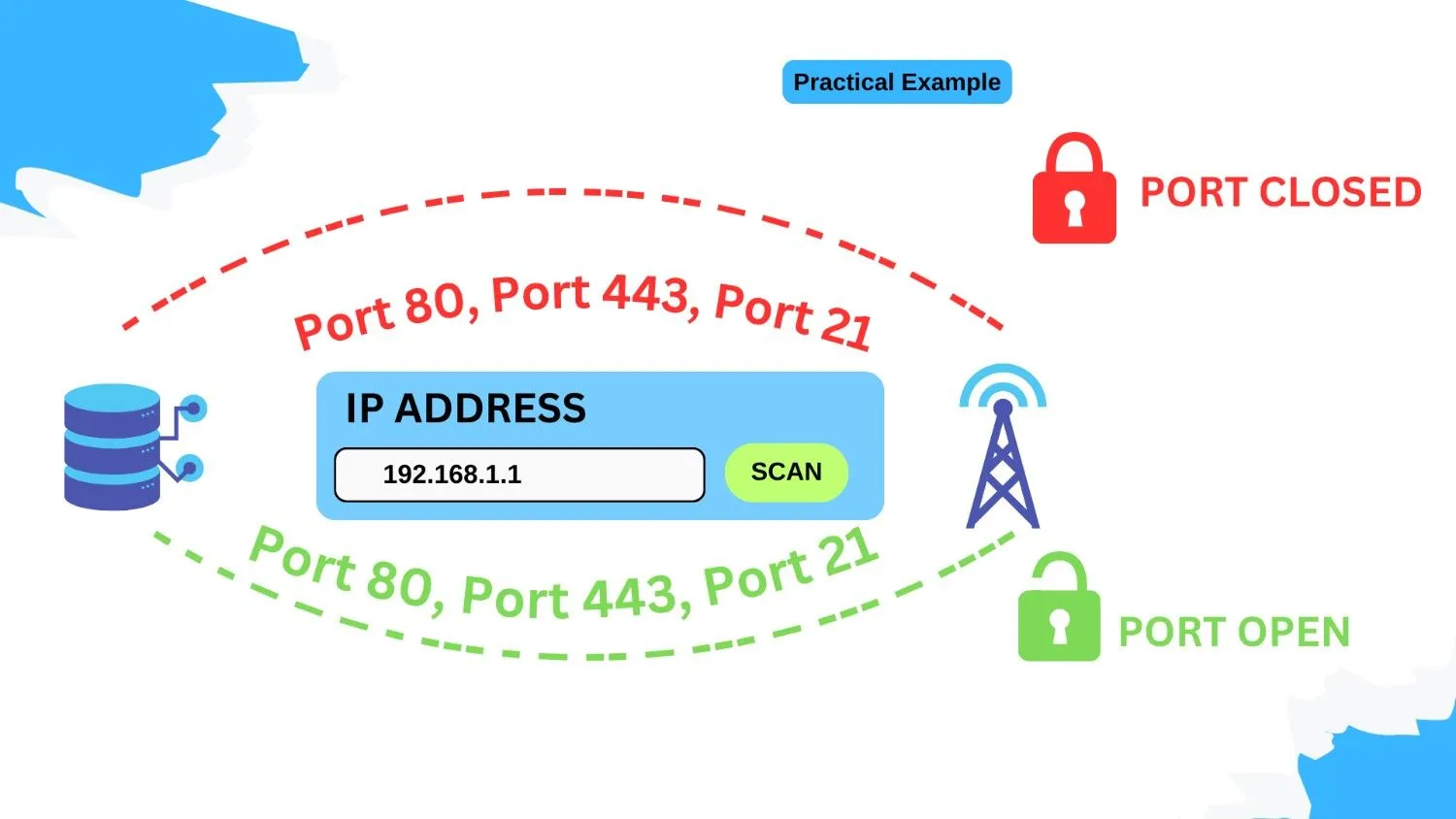
A practical example can be used to understand the Port Checker tool better, particularly in testing of common ports that are used in web servers. These ports are used to determine the availability and the proper functioning of important services.
- Port 80: For HTTP traffic. The site should be open so that the site can be accessed.
- Port 443: HTTPS (SSL) traffic Port 443: a secure connection.
- Port 21: FTP traffic, traffic involved in the transfer of files.
What Your Result Means
Port Open: When a port is open your device or server is prepared to accept connections on the port. It is needed to enable applications and servers to operate efficiently, enabling data requests to be transmitted without being blocked or restricted.
Port Closed: A closed port leads to the indication that connections are blocked usually by a firewall or secure settings. In case you are running a service and the port is showing as Closed, then you should check firewall rules or network settings to make sure you are not restricted.
Important Disclaimer
*Security Note: It is only important to leave the ports that are required open. Opening ports that are not necessary may pose security threats. This is not a tool to use to implement permanent changes to your server and network settings, and it is only to test the connection availability.
Instant Port Checking Tool – Test Open Ports Online
Easily verify your ports to be open, closed or blocked using our online Port Checker. Our tool is aimed at server administrators, gamers and all people who have network problems that they need to check, without the problem of installation or technical configuration. All you need to do is to input your IP address (auto-detect is an option) and the port number to test (such as port 80, the default port of the HTTP web traffic), and then press the Check Port button and instantly check the port status.
This tool can be used to easily check the connectivity, to verify that your webserver is still online and to fix network or firewall problems effectively.
What Is a Port Checker?
A Port Checker is an online utility, which assists you in deciding whether a particular port on your machine or server is open, closed or blocked. Ports serve as a communication link among applications and services, e.g. web server, email server or game server.
You can test a port, such as the Gopher port 70 (which is also used by some older Gopher services) to make sure that your network or server makes proper use of this port, and has been configured to be visible on the internet. This is a basic test that is necessary in troubleshooting any problems relating to connectivity, port forwarding and network security.

Why Use Our Port Checker?
Our Port Checker is developed to be quick, stable and simple to operate and is therefore the most suitable tool both to the novice or the more advanced users. It is not a complex software, as it is used in your browser, which does not need to be installed or registered. Port testing You can immediately test ports to determine a connection, diagnose network problems or check your server and applications are online.
Our tool gives an easy and secure experience of monitoring and managing your network without any stress because of its features such as auto IP detection, real-time results, and privacy-friendly functionality.
Popular Ports to Test
Web services, email, remote access, and gaming are some of the ports that are normally utilized when checking network connectivity. The issues with the ports will be fast to recognize to know which one should be tested and be sure that your services are available.
Common Ports to Test:
- HTTP (80): Web default port.
- HTTPS (443): Secure web traffic
- FTP (21): File Transfer Protocol
- SSH (22): Secure remote access
- SMTP (25): Sending emails
- DNS (53): Domain Name queries.
- RDP (3389): connections with the Remote Desktop.
- Game Ports (e.g., 25565 for Minecraft): Multiplayer server access
The following popular ports can be tested to confirm that your server is online, solve connection issues, and confirm that your network is configured properly. You can easily and safely check every port with our Port Checker to ensure the websites, applications and games run smoothly.
What You Can Do With This Tool
Port Checker allows you to check and monitor the availability of ports without much difficulty and also ensure that your network or server has its settings properly set up or not. It assists you in troubleshooting connection problems, with checking whether your game servers or web servers are accessible, and ensuring that port forwarding on your router is working appropriately.
As a home user, IT professional or a gamer, you can use this tool to find out what ports are being blocked or are closed, avoid interruption of the network and ensure that you have unhindered access to the applications and services of your choice, directly through your browser without any complex installation.
Security & Privacy Promise
Privacy and security is our priority. No personal information was retained on our Port Checker, and it does not scan your whole network, it just verifies the port that you enter. All outcomes are done in real time which guarantees full anonymity and confidentiality. The tool is reliable, and you should not be afraid that someone will learn about your information as it is confidential, secure, and safe when you are checking the connection of your ports.
FAQ’s
Q1. What does it mean if a port is open?
The port is open and it means that your server or device is open to have a connection on that port. It enables the applications or services to interact with the network.
Q2. What does it mean if a port is closed?
A closed port indicates that connections are denied and in most cases it is a rule by a firewall or the settings of a server. Services depending on that port may exit without functioning until that port is opened.
Q3. Is using the Port Checker tool safe?
Yes, the tool is fully safe. It simply checks the availability of connections and does not transfer any data thus keeping your device or server safe.
Q4. Can I check multiple ports at once?
Most port checker tools permit testing the ports one at a time. To test many ports, you may run the test a number of times one by one.
Q5. Why is it important to check ports?
Port checking can be used to make sure that your services and applications are available and operational. It also highlights possible security concerns by pointing at unnecessary open or blocked ports.